 中文
中文



.png) Search
Search


 >
>  Return to List
Hybrid Cooling: Air and Liquid Double-Team Heat in Data Centers
Much of the focus on data centers is on their very high power and cooling demands and the impact those demands have on local electrical grids and water supplies. Water is needed for thermally managing the hot-running processors, especially GPUs, at the heart of AI data center computing. Many other essential components also require cooling, but at lower levels, allowing them to be cooled using forced air.
This is why hybrid cooling, using both liquid and air methods, is an effective way to keep hot data center components within their operating temperature ranges. Hybrid cooling enables a more balanced, incremental approach to managing different types of heat loads efficiently. Liquid cooling handles concentrated heat loads, while airflow manages the remaining thermal load.
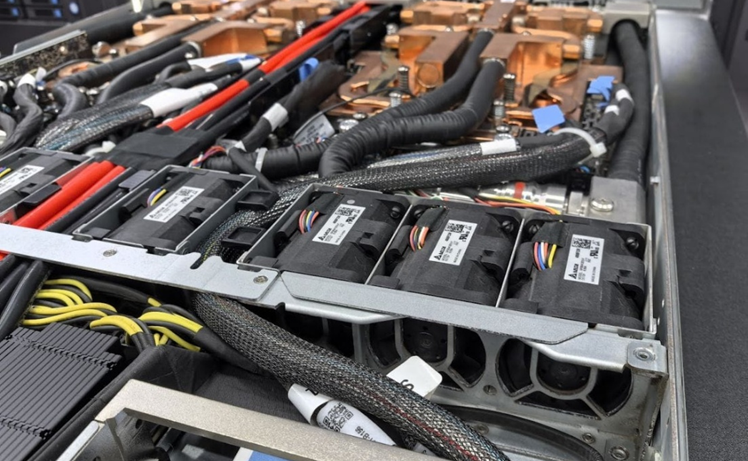
Forced air cools lower power components using heat sinks and air from fans and blowers. But traditional air cooling becomes inefficient as board and component densities climb, and power levels increase, justifying the need for high capacity air cooling that is not necessarily a larger fan of heat sink.
Liquid cooling is provided by continuously circulating liquid coolant across the hot modules, drawing their heat away. While air cooling is provided by rows of fans, liquid cooling is a complex system of tubing and connectors, coolant distribution units (CDUs), cold plates, and coolants.
Data Center Applications
Let’s look at hybrid cooling inside a typical server in an AI data center, where it can be one of thousands of servers running in tightly and precisely arranged rows of cabinets. Both air and liquid cooling play essential roles in thermally managing the many powered components.
Air Cooling
Server cases are explicitly designed to function as wind tunnels. Server airflow is generated by internal fans that create air pressure. Typically, these are high-static-pressure, counter-rotating fans that produce cooling airflow passing over and around motherboards and hot components. Fan pressure pushes heated air out of the server while drawing cool air in from outside. [4]
At the component level, air-cooling designs rely on conduction to move heat from a chip to a metal heat sink, followed by forced convection driven by high-static-pressure fans to carry the heat away.
Some commonly air-cooled components include:
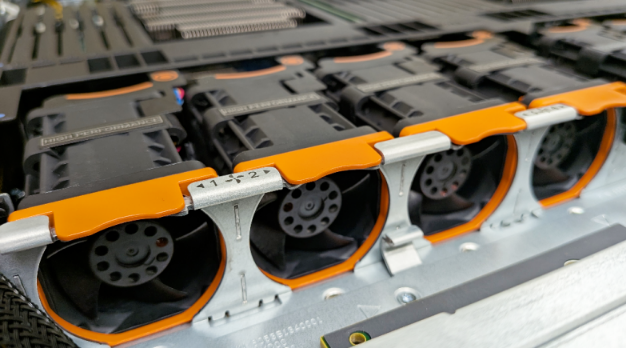
Memory (DIMMs / DDR5): Cooled via linear front-to-back airflow channels passing across the motherboard.
Networking (NICs / SmartNICs / OCP 3.0 cards): Low-to-moderate-power PCIe or OCP networking modules.
Storage (NVMe / SSDs): Front-accessible U.2/U.3 or E1.S drives.
Power Supply Units (PSUs): Integrated hot-swap power supply modules equipped with their own independent, self-contained fans.
CPUs: Some lower-power CPUs can be air-cooled using low-profile fan-sinks or vapor-chamber heat sinks. [5]
In standard 1U and 2U multi-node enterprise server racks, CPUs and other components are almost always cooled passively using aluminum or copper block heat sinks that rely entirely on the high-RPM chassis fans located at the front of the server case.
Despite its broad applicability, air cooling is typically used for less than 20 kilowatts (kW) per rack in conventional designs, although it can reach 35 kW in exceptional cases. Anything beyond that typically requires liquid cooling. [6] Of course, the selection of a cooling system is governed by device junction temperature rather than total wattage.
Liquid Cooling
Liquid cooling systems circulate coolant through a network of tubing, absorbing heat from hot components, most notably high-power GPUs, many of which operate at 1,000 W.
In data center servers, liquid cooling primarily targets ultra-high-heat-producing processors, specifically GPUs and CPUs, using direct-to-chip cold plates. In some advanced high-density 1U designs, liquid loops also extend coverage to adjacent high-power components.
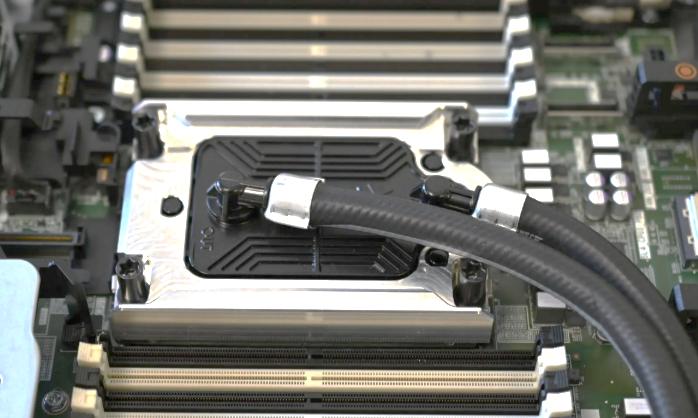
Some commonly liquid-cooled components include:
GPUs / Accelerators: The core AI training and inference engines that generate the vast majority of server heat.
CPUs: Host processors that manage system instructions and data pipeline feeds to accelerators.
Network/AI Switches & Co-processors: Specialized fabric chips, such as NVSwitches, mounted on the board to link multiple processors at high speeds.